How to set the time zone?
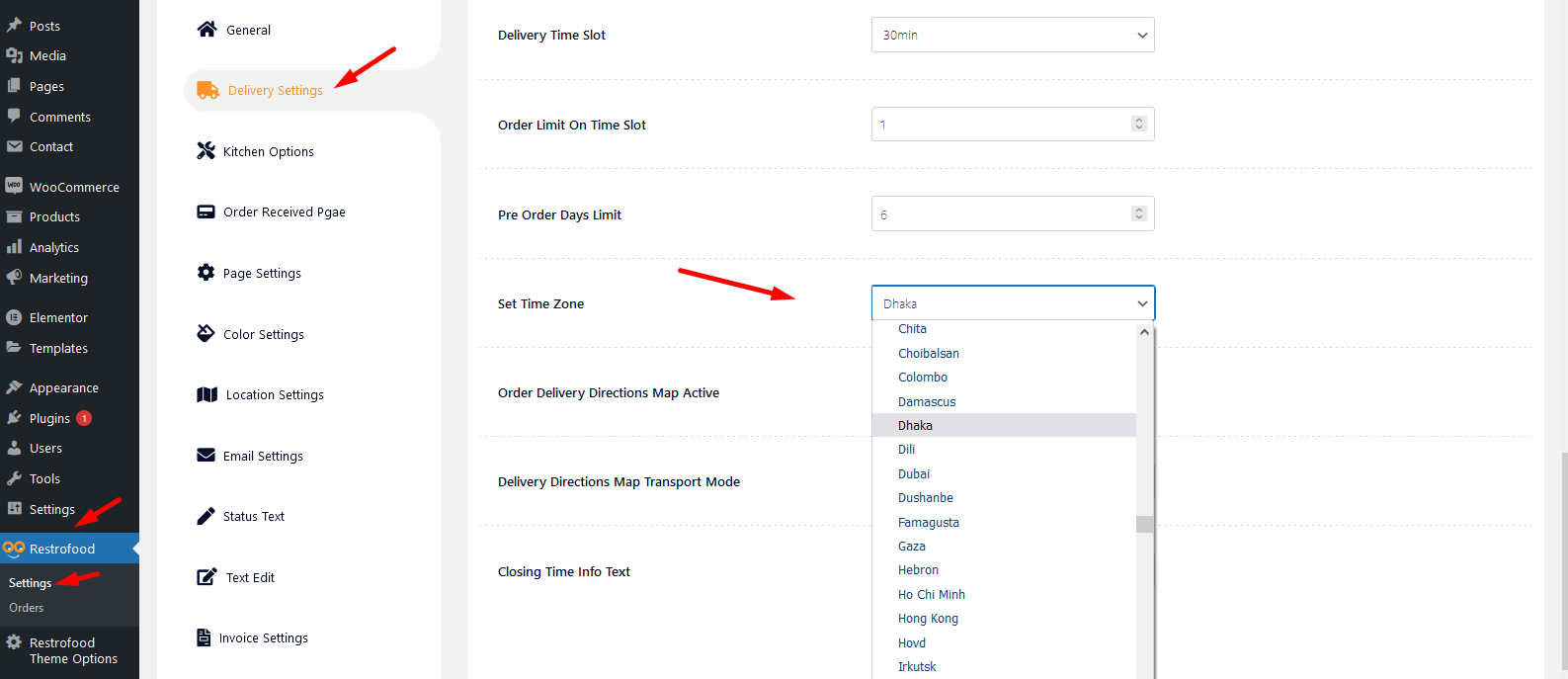
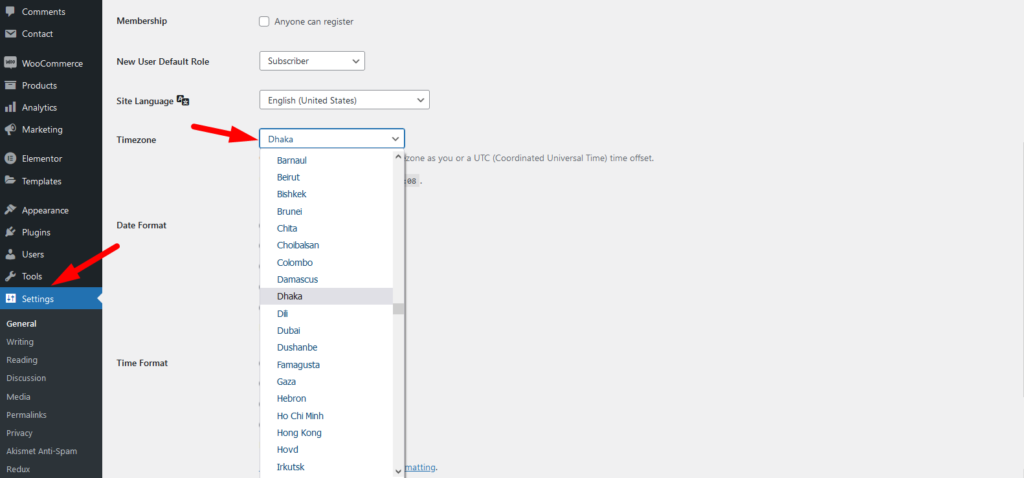
To work time and date properly with your time you need to settings restrofood plugin timezone from restrofood settings and WP admin settings -> general
Restrofood settings option:
WP admin settings option:

RestroFood provides background, text, button, anchor link, etc color change option so that you could match the plugin environment color with your website. Follow the screenshot to get the option:
To add product nutrition information follow the screenshot : Preview:
Follow the screenshot to understand how to work delivery ability checker by zip location. For Single Branch: Settings Options:
You will find the print button in the order details popup:
To create product attributes follow the screenshot: Set Product Variations:
Restrofood plugin provides an ajax shop page. Where users can see products easily and make a quick order. There have 3 ways to show products in this plugin. Using Shortcode Using RestroFood Template Using Elementor Widget Make sure you are uploaded products before. How to use the shortcode? RestroFood plugin provides a shortcode to show…


