How to import product demo data?
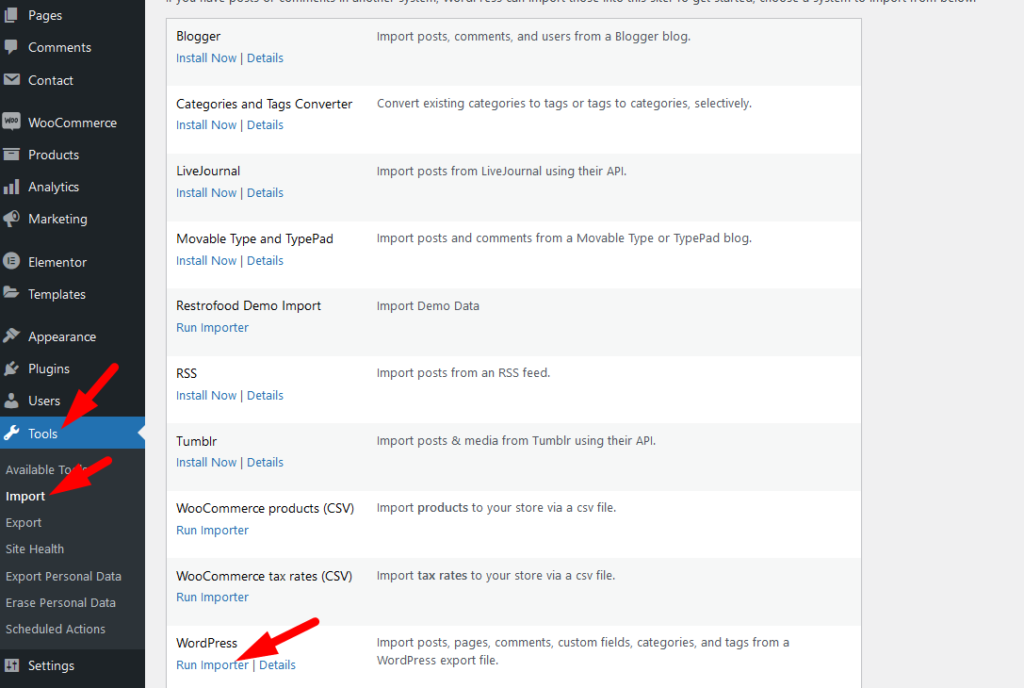
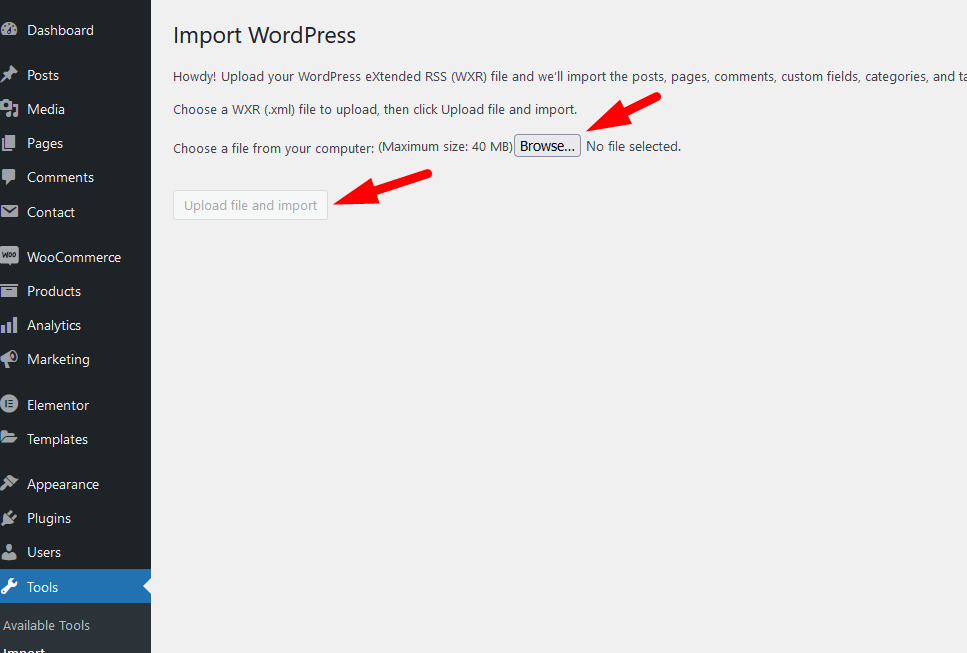
Upload the xml file.
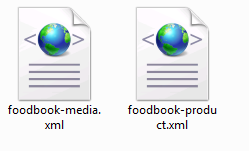
Note: You should upload restrofood product xml first then restrofood media xml file

Download The copy of the plugin as a zip file, you can manually upload it and install it through the Plugins admin screen. Navigate to Plugins > Add New. Click the Upload Plugin button at the top of the screen. Select the zip file from your local filesystem. Click the Install Now button. When the installation is complete, you’ll see…
Go to Admin -> RestroFood
You need to check system status before WordPress Plugin installation. WordPress This section displays the following information about your WordPress setup: Home URL: The URL of the site’s homepage. Site URL: The root URL of the site. Version: The version of WordPress installed on your site. We recommend always use the latest WordPress version available in WordPress.org. Multisite: Whether or…
You will need to create user to access the branch manager, kitchen manager, and delivery boy. Restrofood provides 3 different user roles for different manager. After installing the plugin you will find 3 new user roles in the user role option. The roles are Branch Manager, Kitchen Manager, and Delivery Boy. Follow the screenshot to…
Delivery/Pickup time select option is an awesome feature in this plugin. Customer can select the time when he/she want to delivery and provider delivery the product on that time. Here is the screenshot of how and where the Delivery/Pickup time settings in the admin. Delivery/Pickup time set options. Where will show Delivery/Pickup date and time…
Set list type and min/mix required option. If you don’t set min or max required number this items are not required for the product to add to cart.


