How to set the time zone?
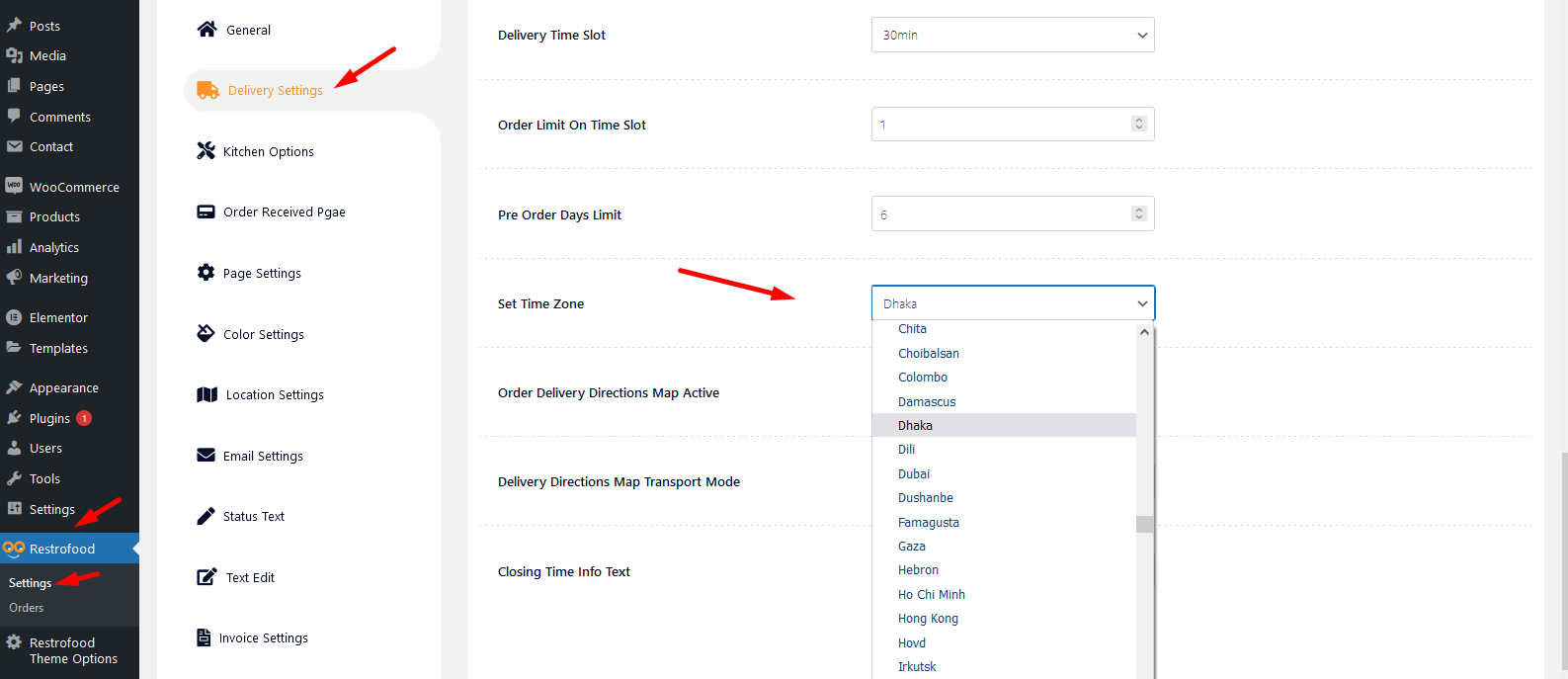
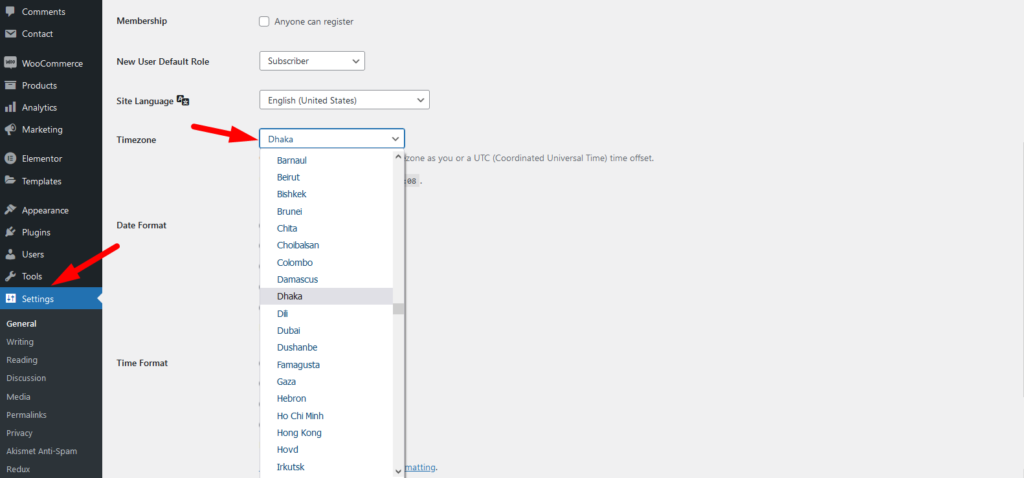
To work time and date properly with your time you need to settings restrofood plugin timezone from restrofood settings and WP admin settings -> general
Restrofood settings option:
WP admin settings option:

Go to Admin -> RestroFood
Restrofood offers 6 different kinds of product layouts to showcase your products. You can set it globally from the settings option or a specific Elementor widget. Follow the screenshots to set the settings.
To create product attributes follow the screenshot: Set Product Variations:
RestroFood provide custom login page for manager admin. The default manager admin login page is /admin ( your-domain.com/admin ). Branch, kitchen manager and delivery boy should be login from here. If you want to change the admin page you will do it easily. At first, create a page which you want as an admin page…


