How to set products variant?
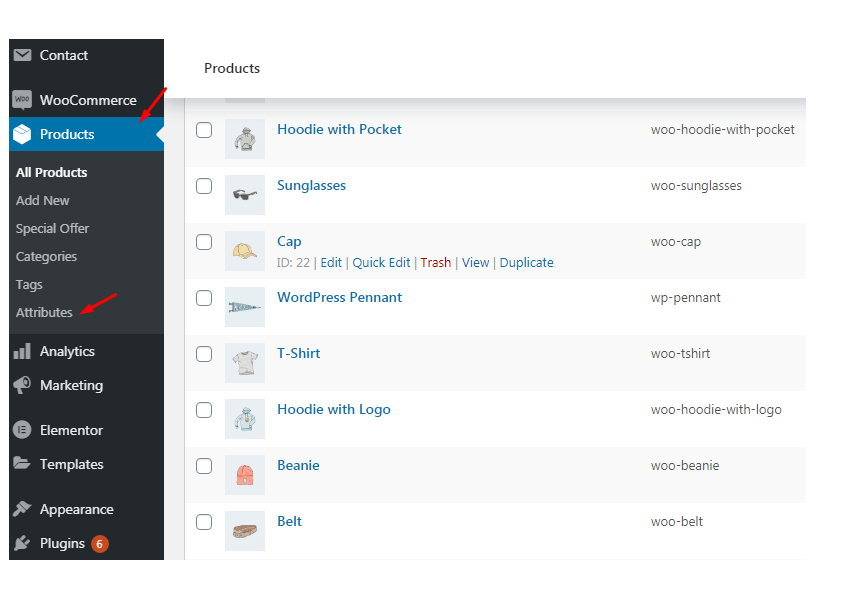
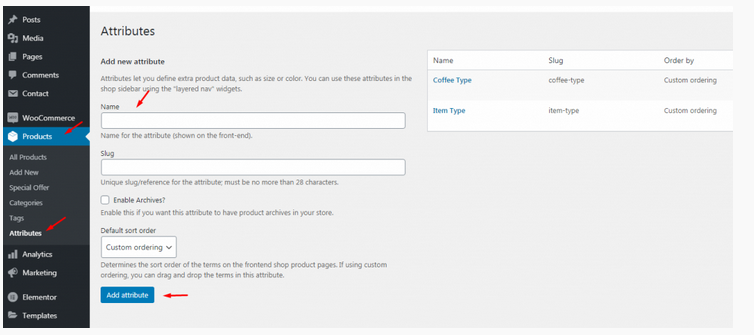
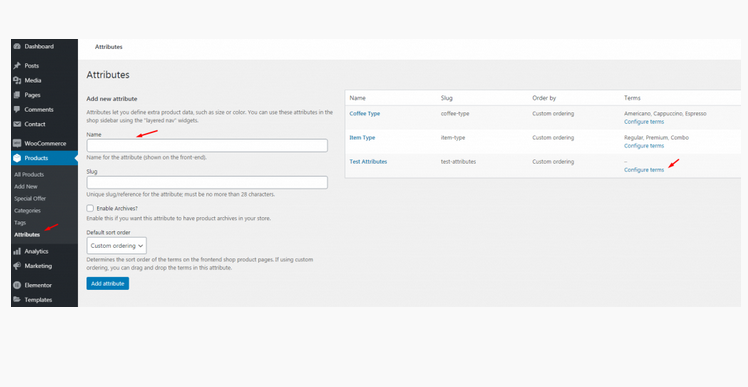
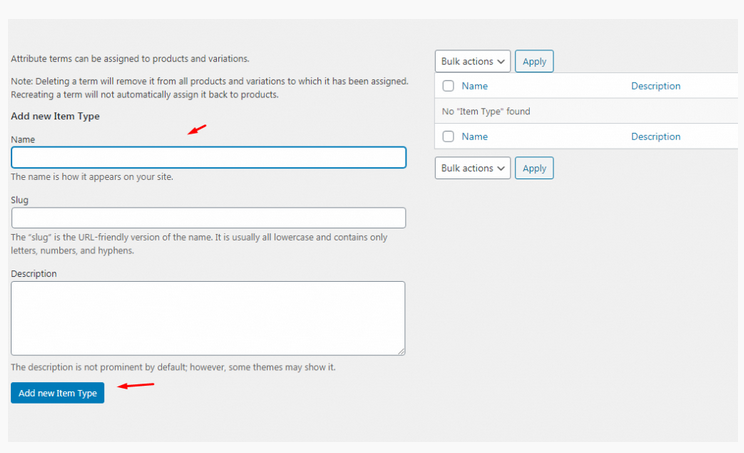
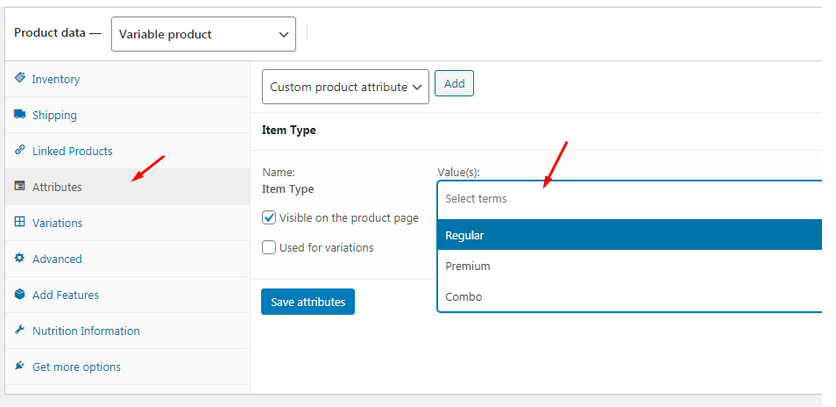
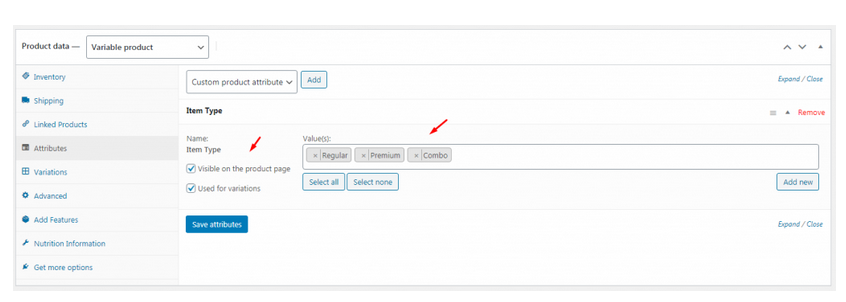
To create product attributes follow the screenshot:
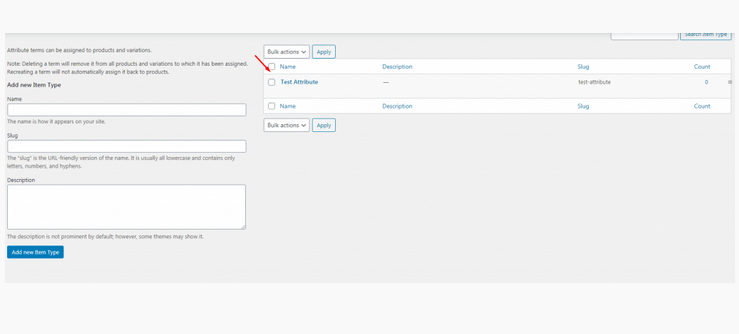
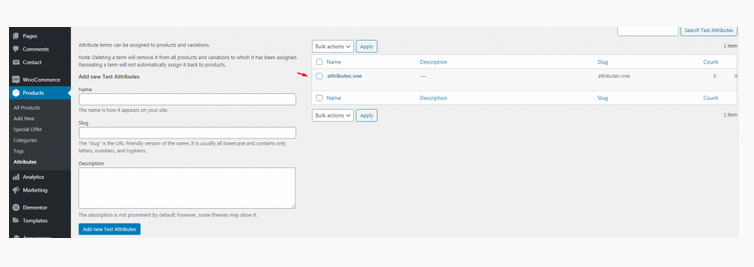
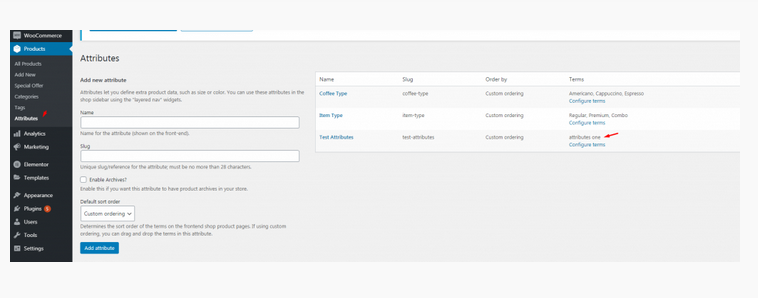
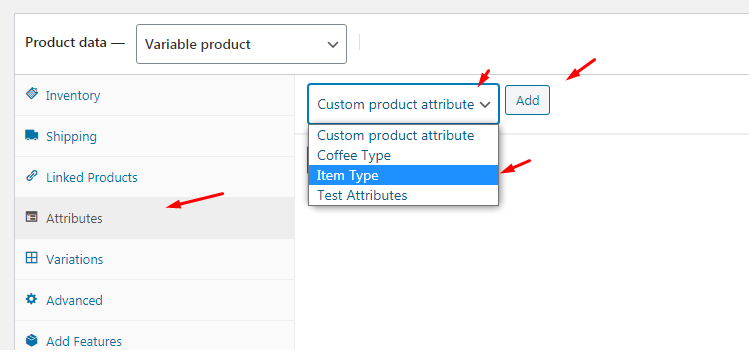
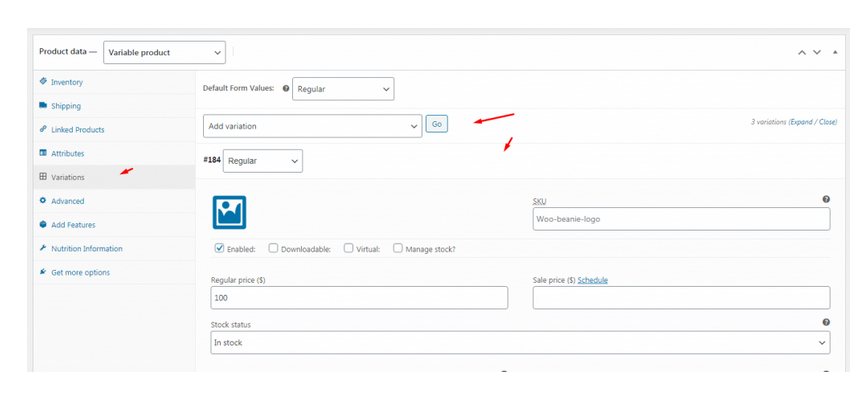
Set Product Variations:

The main admin can see and controls all branch orders from Branch order manage page. This page can access only main admin user from dashboard. There has so many options in this page. Following the options list below : Order filter by date and branch Show statistic on Total Order, Total Completed Order, Total Cancel…
Upload the xml file. Note: You should upload restrofood product xml first then restrofood media xml file
RestroFood provide custom login page for manager admin. The default manager admin login page is /admin ( your-domain.com/admin ). Branch, kitchen manager and delivery boy should be login from here. If you want to change the admin page you will do it easily. At first, create a page which you want as an admin page…
Restrofood provides an awesome and flexible shortcode to increase user experience and flexibility. Product Page Shortcode: Shortcode Example 1: Use this shortcode to show products with all default settings Shortcode Example 2: Delivery ability checker form: Shortcode Example 1: Use this shortcode to show products with all default settings Shortcode Example 2: Use this shortcode…
After Cooking Complete the order need to assign delivery boy to order delivery. There has a select option to assign delivery boy in the branch and kitchen manager page order view popup. Follow the screenshot below.


