Where you will find Order status text change options?
If you want to change the order status text which restrofood provide default, You can! just follow the screenshot below:
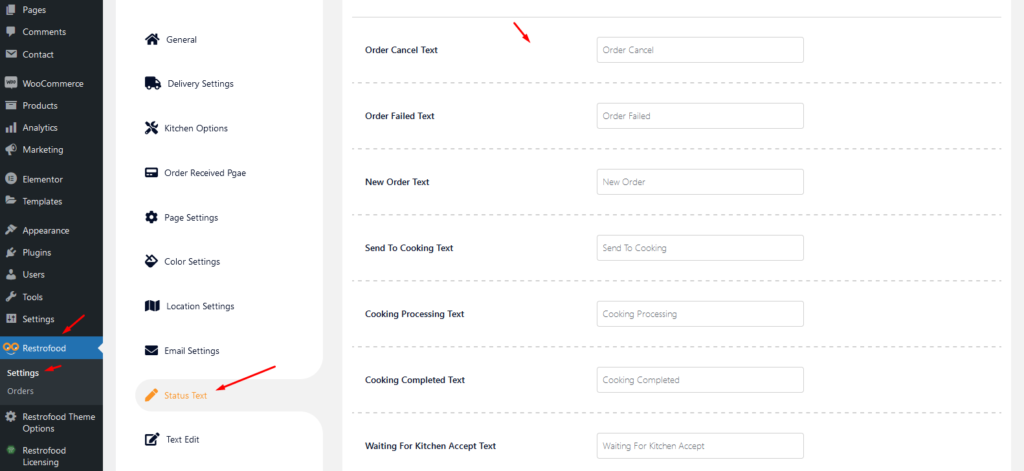

If you want to change the order status text which restrofood provide default, You can! just follow the screenshot below:
Go to Appearance -> Themes -> Add New -> Upload Theme -> Browse and Install Now You will need to install some required plugins to work the theme properly. Follow the below screenshot.
Upload the xml file. Note: You should upload restrofood product xml first then restrofood media xml file
To create product attributes follow the screenshot: Set Product Variations:
To create google API key visit the link https://console.cloud.google.com/ and login with your google access. After that, you need to create a project for API credentials with some Library permission. Follow the screenshot below: Library Support: Key Restrictions:
Restrofood offers 6 different kinds of product layouts to showcase your products. You can set it globally from the settings option or a specific Elementor widget. Follow the screenshots to set the settings.


