How to install RestroFood Theme?
Go to Appearance -> Themes -> Add New -> Upload Theme -> Browse and Install Now
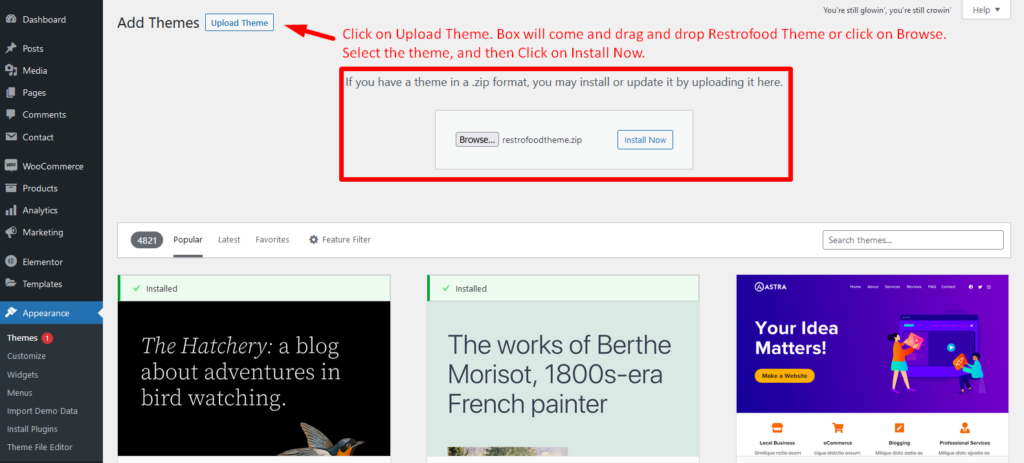
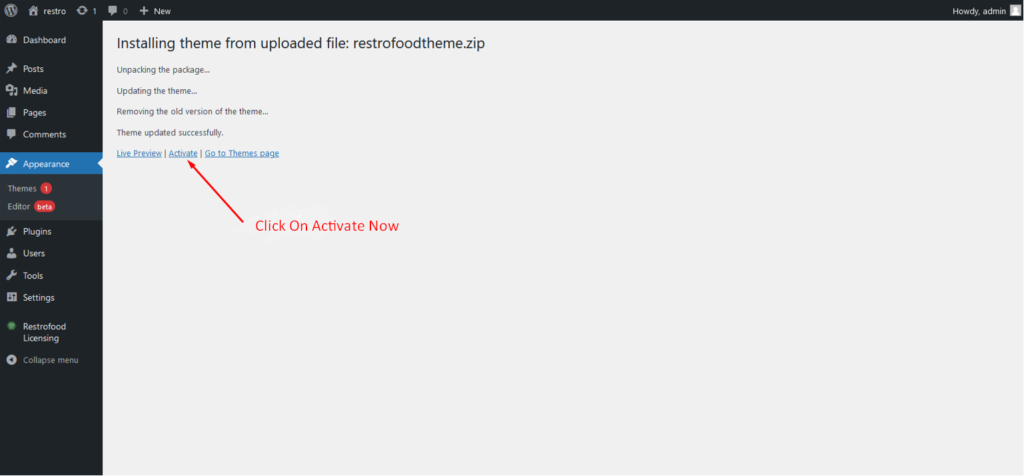
You will need to install some required plugins to work the theme properly. Follow the below screenshot.
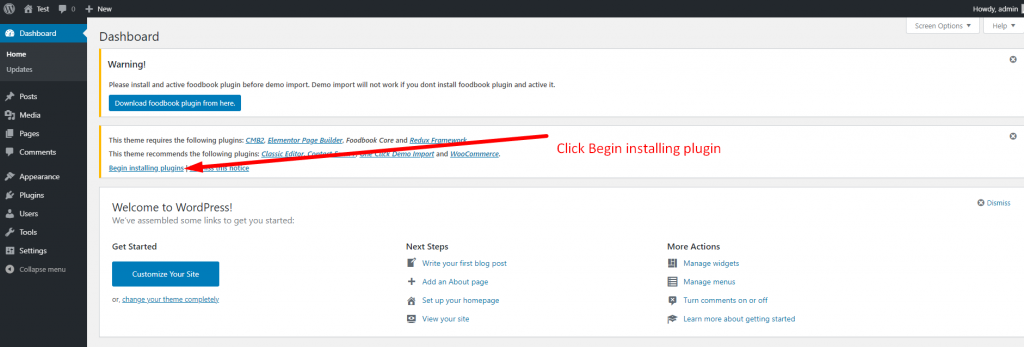
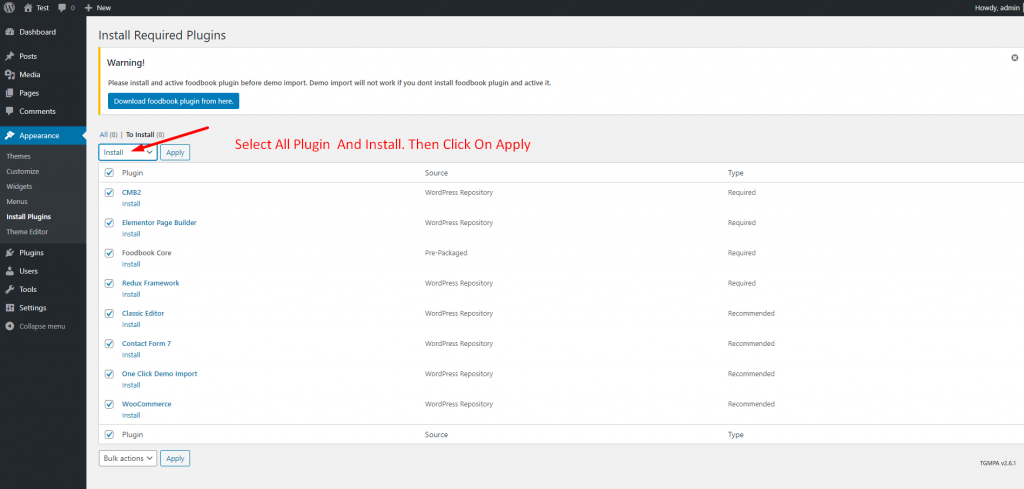
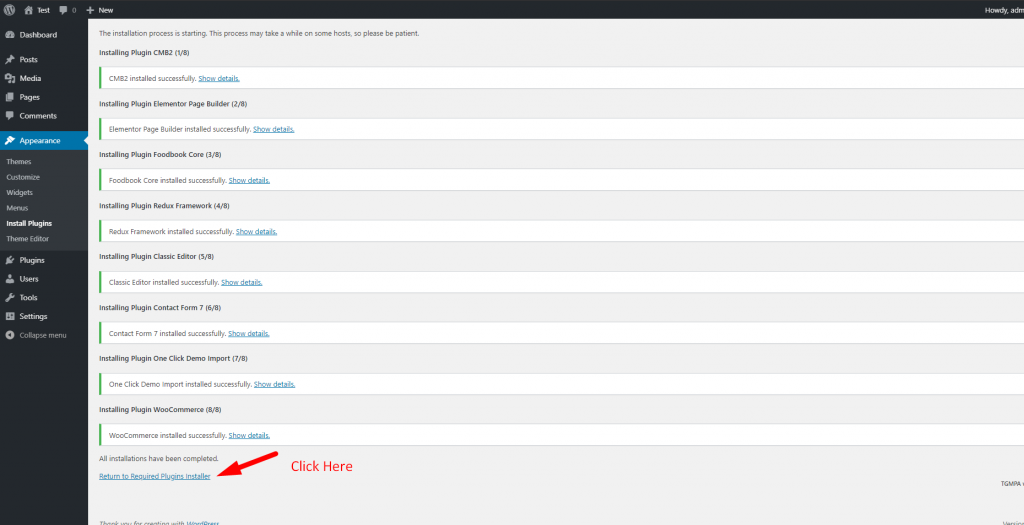
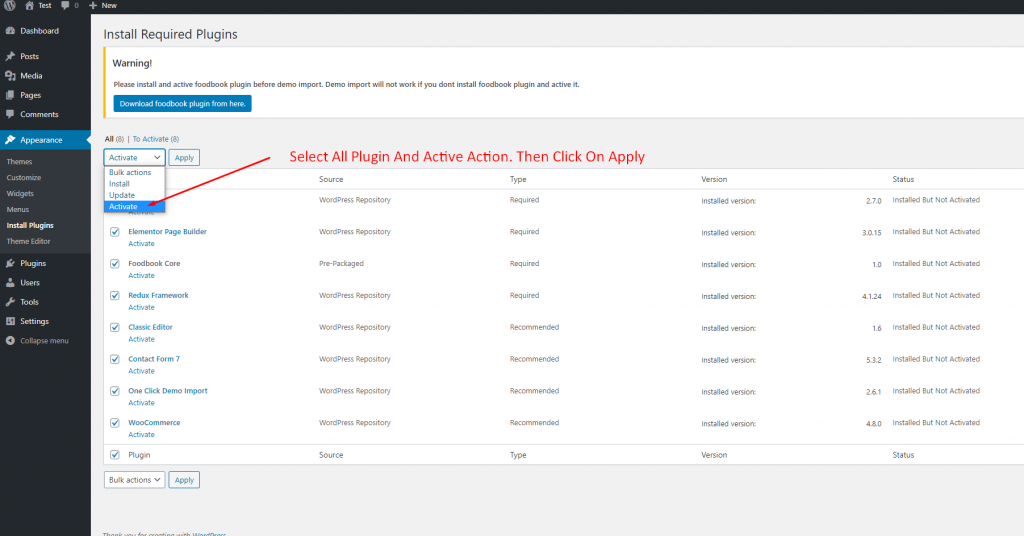

Go to Appearance -> Themes -> Add New -> Upload Theme -> Browse and Install Now
You will need to install some required plugins to work the theme properly. Follow the below screenshot.
Restrofood provides a nice option to check delivery location availability. There has 2 types of options to check delivery location availability by address and zip code. Customers can check delivery availability in their area before ordering. Delivery Availability Checker Popup: Checkout Page Delivery Availability Checker: Follow The screenshot To Set The Location Settings:
Follow the screenshot to get invoice settings options.
After Cooking Complete the order need to assign delivery boy to order delivery. There has a select option to assign delivery boy in the branch and kitchen manager page order view popup. Follow the screenshot below.
Delivery/Pickup time select option is an awesome feature in this plugin. Customer can select the time when he/she want to delivery and provider delivery the product on that time. Here is the screenshot of how and where the Delivery/Pickup time settings in the admin. Delivery/Pickup time set options. Where will show Delivery/Pickup date and time…


