How to set products variant?
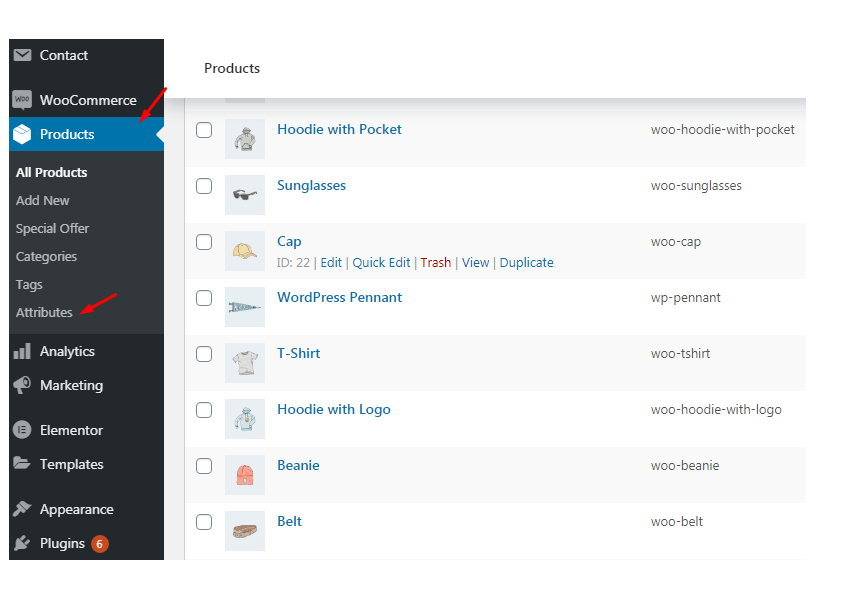
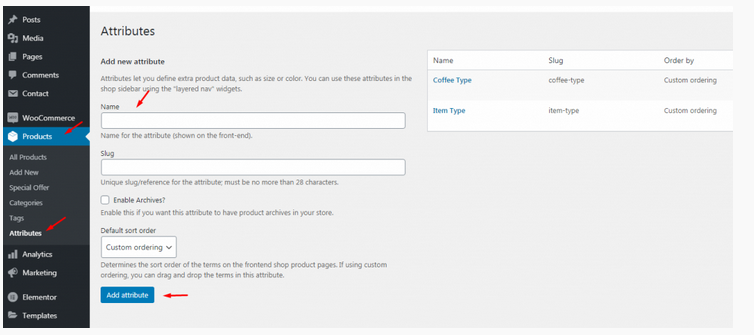
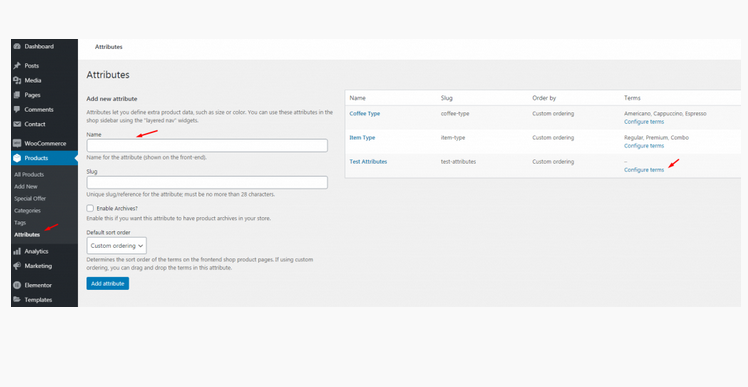
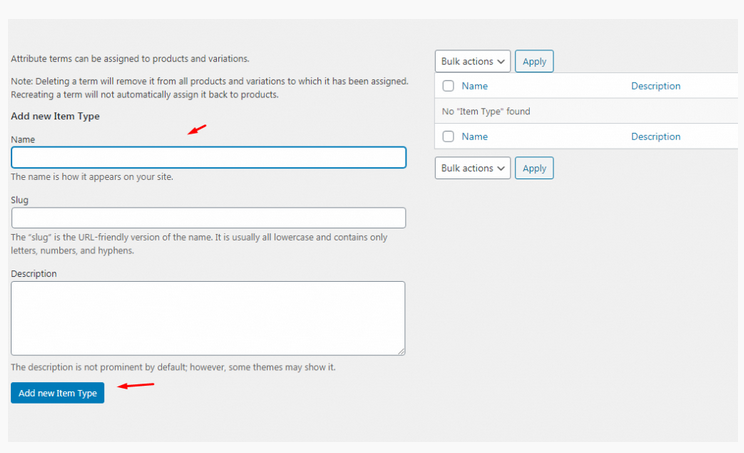
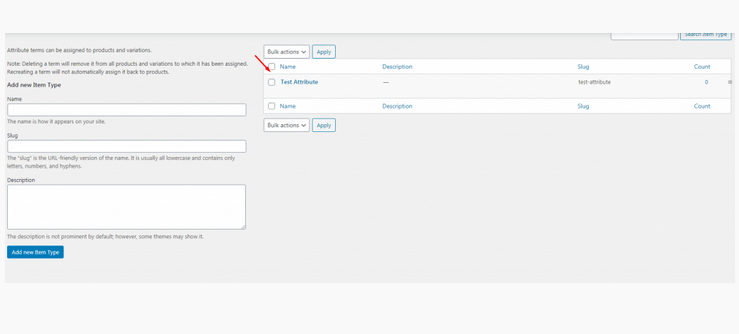
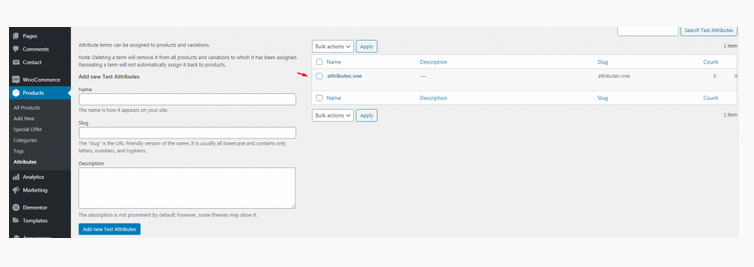
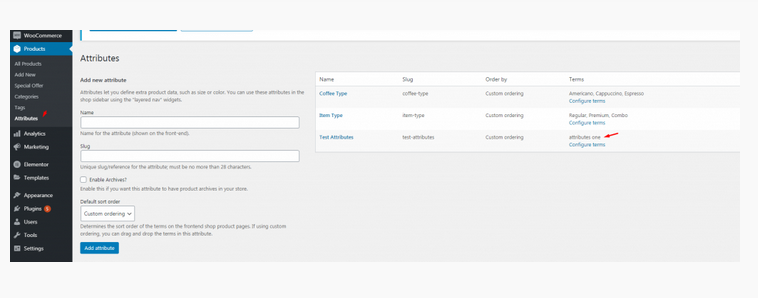
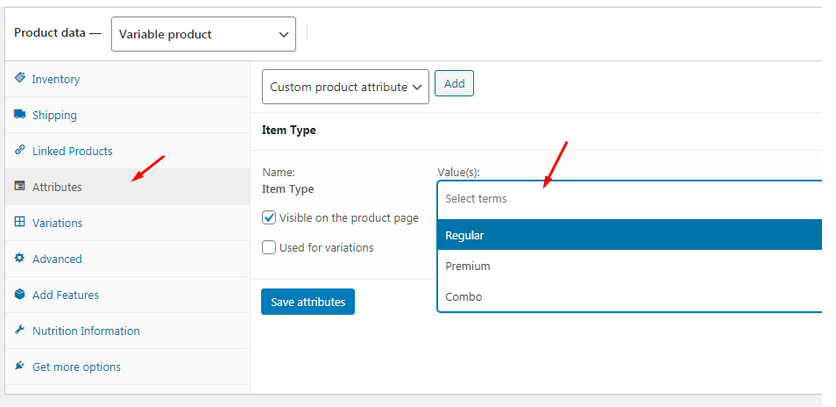
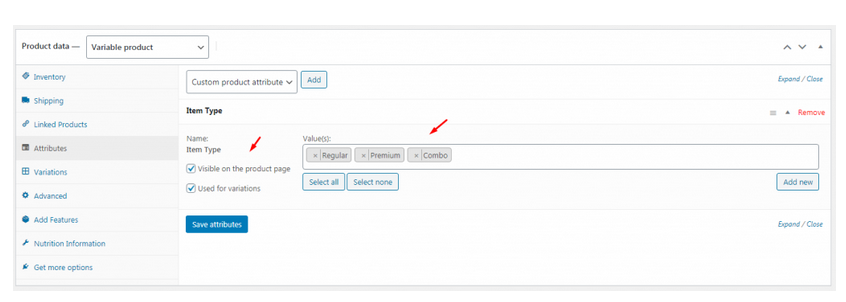
To create product attributes follow the screenshot:
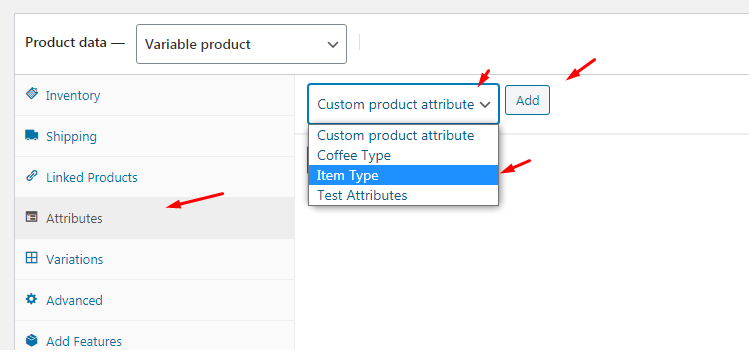
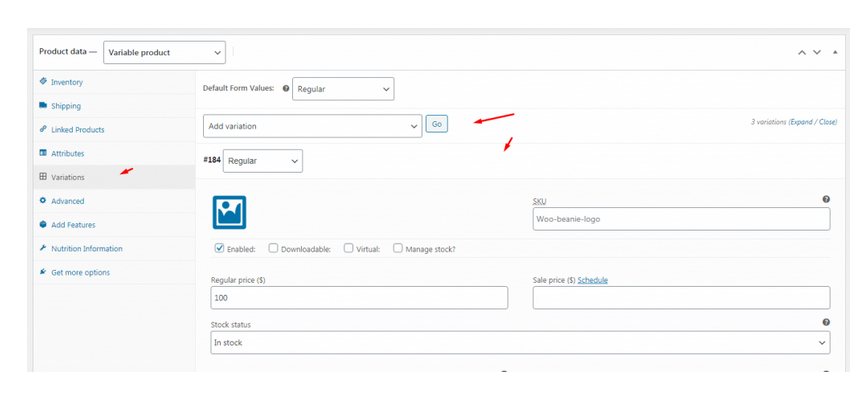
Set Product Variations:

Restrofood Theme provides a one-click demo import system. So you could import demo data like our demo site easily. Before installing demo data you should install all required plugins and active restrofood plugin license. Before import demo data make sure you have activated the restrofood license: Import demo data:
Upload the xml file. Note: You should upload restrofood product xml first then restrofood media xml file
Restrofood provides a flash sale slider Elementor widget to show on sale products. Follow the screenshots to set the settings.
Restrofood plugin provides an ajax shop page. Where users can see products easily and make a quick order. There have 3 ways to show products in this plugin. Using Shortcode Using RestroFood Template Using Elementor Widget Make sure you are uploaded products before. How to use the shortcode? RestroFood plugin provides a shortcode to show…
Set how much order you want to received per time slot. If you don’t set any number of this option customers can order unlimited every time slot. If time slot order limit is over customer will see the information like below image. If the customer selects the time, which time slot already crosses the order…


