How To Set & Use Flash Sale Slider Section?
Restrofood provides a flash sale slider Elementor widget to show on sale products. Follow the screenshots to set the settings.
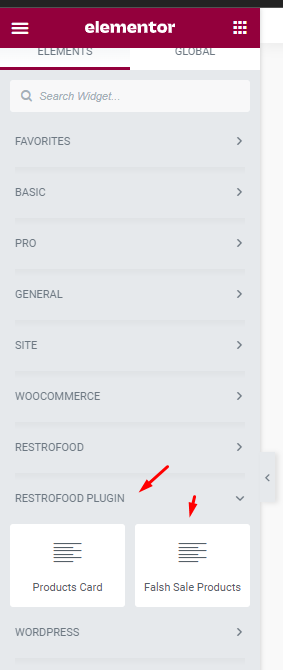
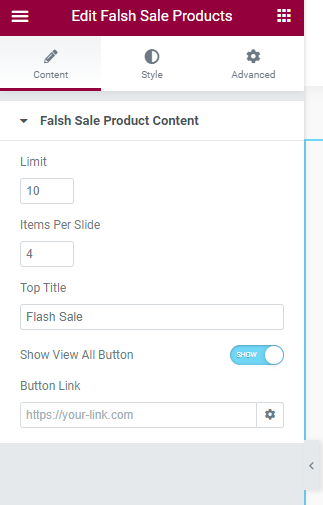


Restrofood provides a flash sale slider Elementor widget to show on sale products. Follow the screenshots to set the settings.
Set list type and min/mix required option. If you don’t set min or max required number this items are not required for the product to add to cart.
You will need to create user to access the branch manager, kitchen manager, and delivery boy. Restrofood provides 3 different user roles for different manager. After installing the plugin you will find 3 new user roles in the user role option. The roles are Branch Manager, Kitchen Manager, and Delivery Boy. Follow the screenshot to…
Follow the screenshot to understand how to work delivery ability checker by zip location. For Single Branch: Settings Options:
Restrofood offers 6 different kinds of product layouts to showcase your products. You can set it globally from the settings option or a specific Elementor widget. Follow the screenshots to set the settings.
To work time and date properly with your time you need to settings restrofood plugin timezone from restrofood settings and WP admin settings -> general Restrofood settings option: WP admin settings option:
RestroFood provide custom login page for manager admin. The default manager admin login page is /admin ( your-domain.com/admin ). Branch, kitchen manager and delivery boy should be login from here. If you want to change the admin page you will do it easily. At first, create a page which you want as an admin page…


