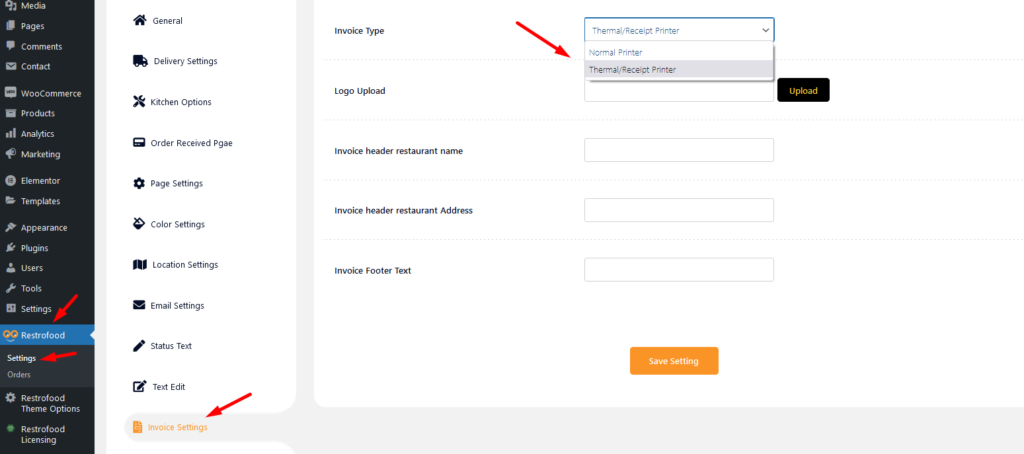
From where you will set the invoice printer type?
Invoice type settings option:
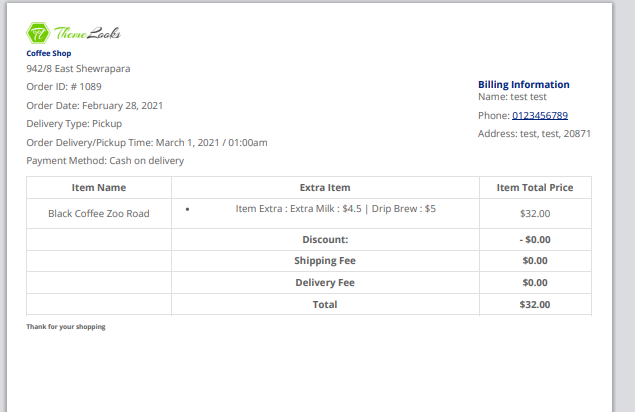
Normal Printer layout:
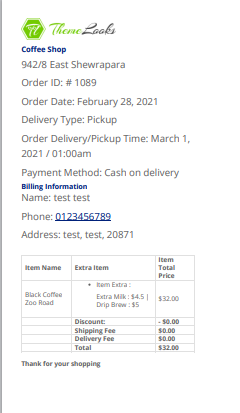
Thermal/Receipt Printer layout:

Invoice type settings option:
Normal Printer layout:
Thermal/Receipt Printer layout:
To add product nutrition information follow the screenshot : Preview:
Restrofood provides a nice option to check delivery location availability. There has 2 types of options to check delivery location availability by address and zip code. Customers can check delivery availability in their area before ordering. Delivery Availability Checker Popup: Checkout Page Delivery Availability Checker: Follow The screenshot To Set The Location Settings:
There has nice ajax filter option ( Filter by delivery date ) to find pre order list in manager page. Please follow the screenshot:
To use pre order system you need to set some settings from restrofood delivery settings. Please follow the screenshot. After set all settings you will find the date and time select option in checkout page How to hide delivery date and time from checkout page?
Follow the screenshot to understand how to work delivery ability checker address location. For Single Branch: Settings Options: Single Branch Shop Location Set:
RestroFood provides different time and multiple holiday set options for different branches. Here is the screenshot of how and from where the Delivery/Pickup time and holy day set in the branch admin.


